Get up to speed on a news story
Ask Grok to explain what happened, what people are saying, and what is still unknown. Then open the sources it cites and see whether they actually support each point.
1-on-1 Grok AI Training in Orlando, FL
The Orlando AI Guys offer one-on-one Grok training in Orlando, Florida, in person or virtually. Kyle Gilmore and Mark Campbell help you use Grok on grok.com, in the Grok app, and inside X, and show you how to check what it tells you.
A practical place to start
Grok is built around real-time search of the web and of posts on X, which makes it useful for news, local events, and fast-moving topics. That same speed is why checking matters. We practice asking Grok for its sources and reading them before you rely on an answer.
We work with executives, business owners, parents, retirees, and curious beginners. You can focus on Grok, or just ask us to help work out whether ChatGPT, Claude, Microsoft Copilot, or Gemini fits your task.
What we can work on
Ask Grok to explain what happened, what people are saying, and what is still unknown. Then open the sources it cites and see whether they actually support each point.
Use voice mode in the Grok app to think out loud about a plan or a decision while you drive or walk. Afterward, ask for a short written summary you can keep.
Describe the image you want and refine it a step at a time. We also cover what not to generate, and why AI images should never pass as real photos.
Try it yourself
A practice example you can adapt before we meet.
Explain [news topic] in plain English in under 200 words. Then list what is confirmed, what is disputed, and what is still unknown. Cite a source for each confirmed point, and say so if you are not sure.
Open at least two of the sources. If a source does not say what Grok claimed, tell Grok and ask it to correct the summary. X itself warns that Grok can state incorrect things confidently, so this step is part of using it well.
Grok: features overview ↗Your Starter Session
$299 one-time session
Or write to kyle@theorlandoaiguys.com.
We start by listening to what you do, what takes your time, and what you want help with.
We configure your chosen tool on your device and work through examples from your job or life. You practice asking, refining, and checking.
You leave with the prompts and workflows we built.
After a Starter Session, a $499 Coaching Pack adds three 60-minute follow-ups over a month, with email support between sessions. See payment, cancellation, and refund details.
Orlando, Florida & beyond
For in-person AI coaching, we usually meet at your home or office. We serve greater Orlando and Central Florida, including Winter Park, Maitland, Altamonte Springs, Lake Mary, Windermere, Winter Garden, Dr. Phillips, Kissimmee, Oviedo.
Virtual sessions use screen sharing so we can work on your actual setup. You get the same two hours and take-home guide.
Bring the phone or computer you normally use. If you already have an X account, bring your login, though grok.com can be used on its own. Leave out anything private; we will turn off model training in your settings together.
Your personal guides
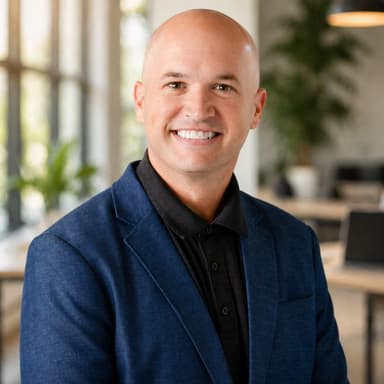

25+ years helping businesses and government organizations adopt technology. Publisher of the Everyday AI Guide.
Meet Mark ↗Before you start
No, not for grok.com or the Grok app, although you can link an X account. Grok is also built into X itself. The Orlando AI Guys set up whichever way fits how you already use your phone.
Yes. Grok has a data setting to stop your conversations from being used to improve the model, and a private chat mode. On X, a separate privacy setting controls whether your posts and Grok chats are used. The Orlando AI Guys walk through both with you.
Grok is fast and current, but it can be confidently wrong, as X’s own help pages warn. The Orlando AI Guys teach you to ask for sources and check them, which is the habit that makes any AI tool trustworthy.